 vikram1@gmail.com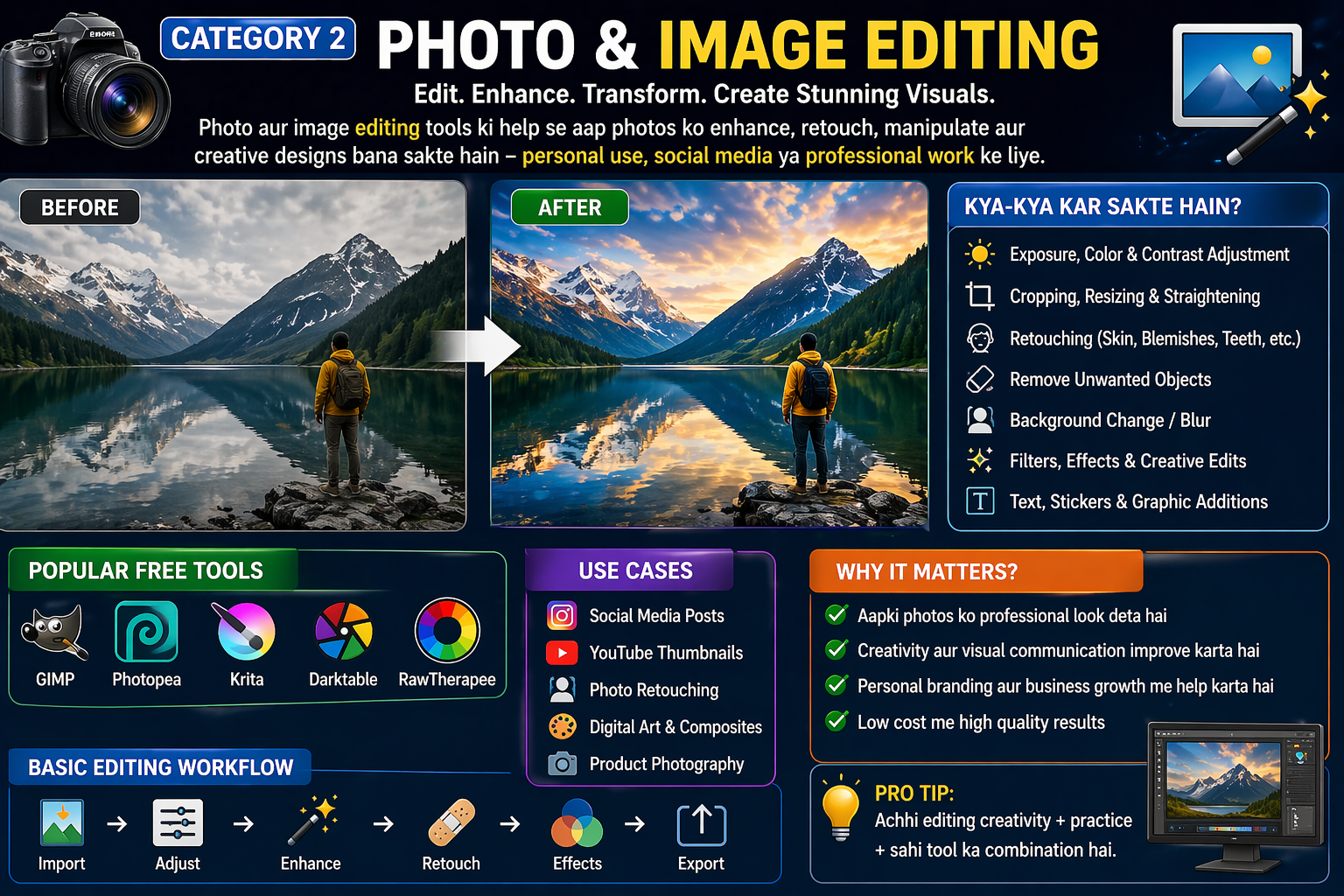
Jab Free Mein Wahi Kaam Ho, Toh Paisa Kyun Den?
Ek simple sawal — agar aapko bazaar mein do cheezein mil rahi hain, ek Rs. 20,000 ki aur ek bilkul free, aur dono ka kaam ek jaisa ho — toh aap kaunsi lenge?
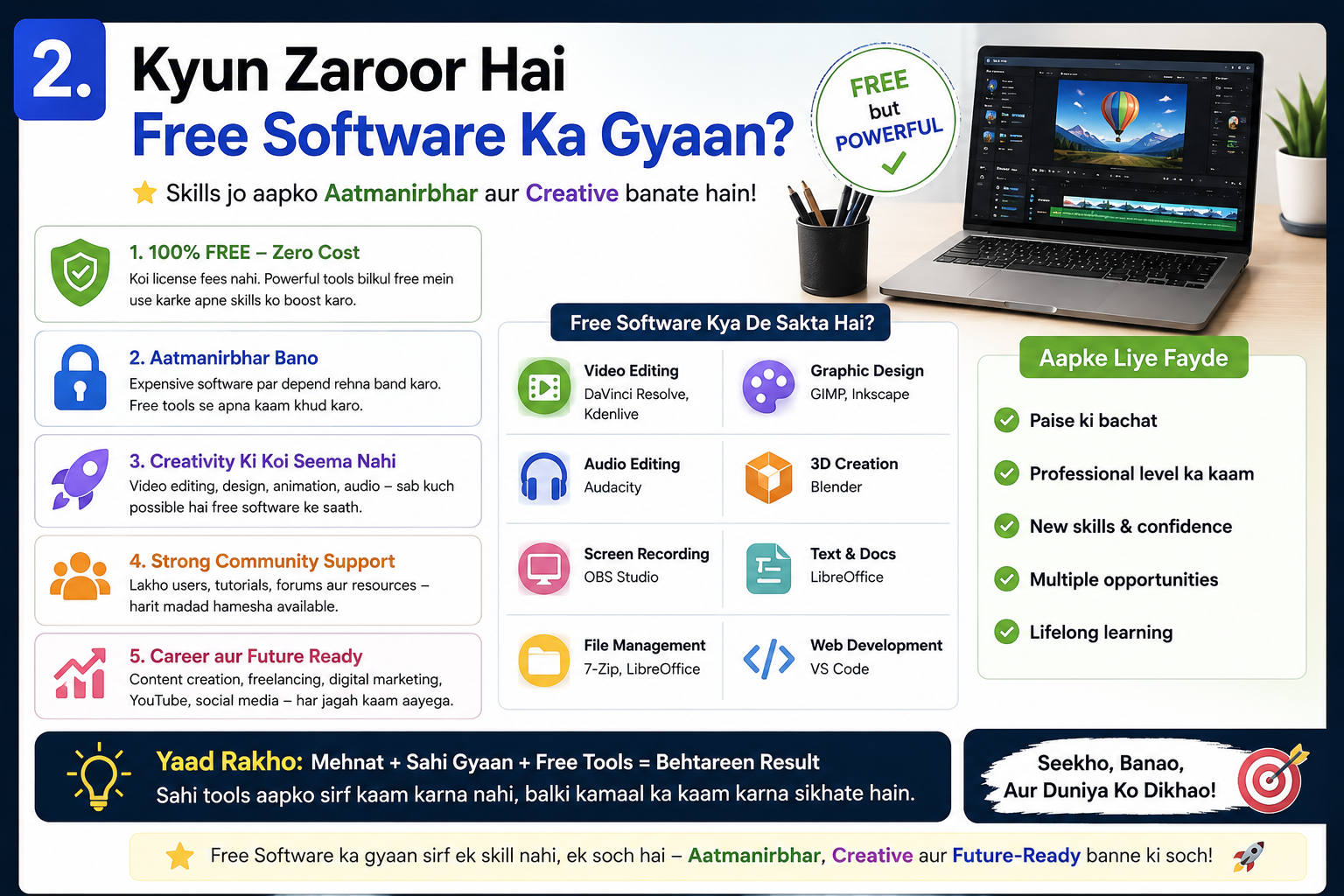
Jawab obvious hai. Lekin software ki duniya mein log har saal lakho rupaye isi liye waste kar dete hain kyunki unhe pata hi nahi hota ki unka paid software ka kaam karne wale free alternatives exist karte hain.
2026 mein yeh alternatives itne mature aur powerful ho gaye hain ki professionals, freelancers, students, aur businesses — sab inhe seriously use kar rahe hain. Aur sachchi baat yeh hai — ek baar yeh Best Apps of 2026 use karne ke baad bahut log kabhi paid versions par wapas nahi jaate.
Is article mein hum aapko category-wise batayenge ki kaunse paid software ke sab se behtareen free alternatives hain — aur kyu woh paid versions se kisi tarah kam nahi hain.
Shuru karte hain.
Kyun 2026 Free Software Ka Golden Year Hai

Pichhle 5 saalon mein open source aur free software community mein ek revolution aaya hai. Kuch important reasons hain:
AI integration — Bahut saare free tools ne ab AI features add kar liye hain jo pehle sirf premium tools mein milte the.
Better hardware — Aaj ke budget laptops bhi itne powerful hain ki heavy software smoothly chal sake.
Community growth — Open source communities badi ho gayi hain — matlab bugs jaldi fix hote hain aur features tezi se add hote hain.
Corporate pricing backlash — Adobe, Microsoft jaise companies ne prices itne badhaaye ki users ne free alternatives dhundhne shuru kiye.
Yahi wajah hai ki Best Apps of 2026 ki yeh list aaj pehle se kahi zyada relevant aur powerful hai.
Category 1 — Office aur Productivity
Microsoft Office → LibreOffice
Paid version ki cost: Rs. 4,999/year (Microsoft 365 Personal)
LibreOffice woh naam hai jo Best Apps of 2026 ki har list mein sabse upar hoga. Yeh ek complete office suite hai — Word, Excel, PowerPoint, Access — sab kuch ek package mein, bilkul free.
Kya milta hai:
- Writer — Professional document editor jo .docx files perfectly open karta hai
- Calc — Spreadsheet tool with advanced formulas, charts, aur pivot tables
- Impress — Presentation maker with animations aur transitions
- Base — Database management
- Draw — Diagrams aur basic graphics
2026 mein kya naya hai: LibreOffice 24.x version mein real-time collaboration improve ki gayi hai, interface aur clean hua hai, aur MS Office compatibility aur better ho gayi hai.
Kaun use kare: Students, office workers, teachers, small business owners — basically har koi jo documents create karta hai.
Download: libreoffice.org
Microsoft Outlook → Thunderbird
Paid version ki cost: Rs. 500+/month (Microsoft 365 subscription mein)
Mozilla Thunderbird 2026 mein completely redesigned ho gaya hai. Naya Supernova interface professional aur clean hai — bilkul Outlook jaisa feel deta hai.
Features:
- Multiple email accounts manage karo ek jagah
- Built-in calendar aur task manager
- Powerful spam filter
- End-to-end encryption support
- Calendar sharing
- RSS reader built-in
Why switch karein: Thunderbird mein aapka data aapke paas rehta hai — cloud par nahi. Privacy ke liye yeh ek bada advantage hai.
Download: thunderbird.net
Notion (Paid) → Notion Free + Obsidian
Paid version ki cost: Rs. 800/month
Notion ka free plan already bahut capable hai personal use ke liye. Lekin agar aapko offline notes chahiye aur complete privacy chahiye, toh Obsidian try karein — yeh completely free hai.
Obsidian features:
- Local files — internet ki zaroorat nahi
- Markdown-based notes
- Graph view — notes ke connections visualize karo
- 1000+ community plugins
- Lifetime free for personal use
Download: obsidian.md
Category 2 — Photo aur Image Editing

Adobe Photoshop → GIMP 3.0
Paid version ki cost: Rs. 1,675/month = Rs. 20,100/year
GIMP version 3.0 ne game completely change kar diya hai. 2025 mein release hua yeh version non-destructive editing support karta hai — woh feature jo pehle sirf Photoshop mein tha.
GIMP 3.0 mein kya naya hai:
- Non-destructive filters aur effects
- Improved color management
- Better tablet support
- Faster performance
- Modern GTK4 interface
Kya kar sakte hain:
- Professional photo retouching
- Layer-based compositing
- Advanced selections aur masking
- Script automation
- Plugin support — sab kuch
Best Apps of 2026 ki list mein GIMP isliye pehle number par hai design category mein kyunki iska paid alternative Rs. 20,000+ per year kha jaata tha.
Download: gimp.org
Adobe Illustrator → Inkscape
Paid version ki cost: Rs. 1,675/month = Rs. 20,100/year
Logo design, vector illustrations, infographics — yeh sab Inkscape mein bilkul professional quality mein ho sakta hai. Yeh SVG format par based hai jo web design ke liye industry standard hai.
Power features:
- Bezier curves aur path editing
- Advanced typography tools
- Live path effects
- Pattern fills
- Extensions library
- Export to multiple formats
2026 tip: Inkscape ke saath “inkscape extensions” search karo — community ne bahut saari free add-ons banaayi hain jo workflow aur powerful banati hain.
Download: inkscape.org
Canva Pro → Canva Free
Paid version ki cost: Rs. 3,999/year
Canva ka free version 2026 mein itna capable hai ki zyada tar users ko Pro ki zaroorat hi nahi padti. Free plan mein milta hai:
- 250,000+ templates
- 100+ design types
- 5GB storage
- Basic photo editor
- Background remover (limited uses)
- Team sharing (limited)
Best for: Social media graphics, YouTube thumbnails, presentations, flyers, resumes — basically har cheez jo visually appealing honi chahiye.
Access: canva.com
Category 3 — Video Editing
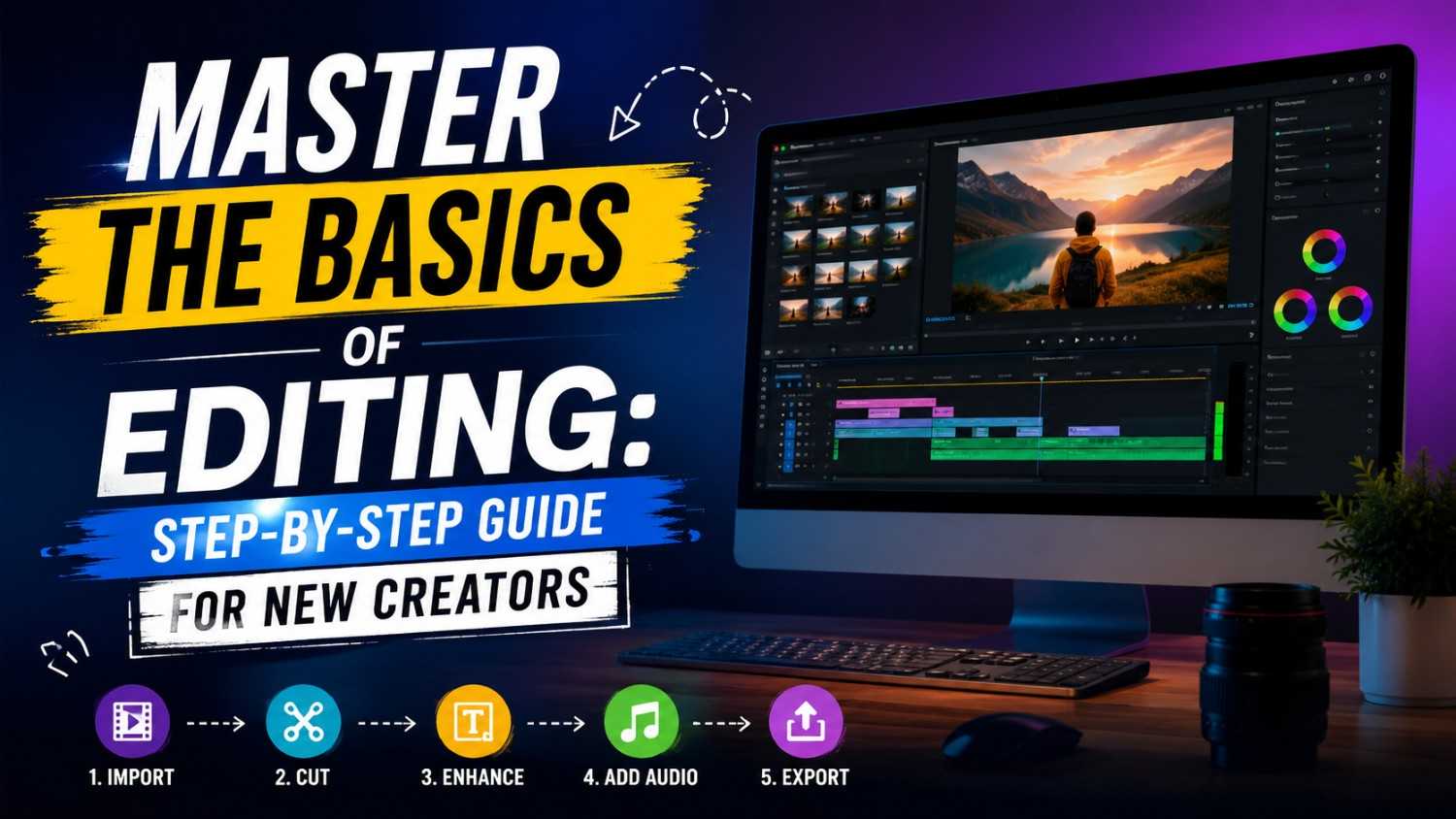
Adobe Premiere Pro → DaVinci Resolve Free
Paid version ki cost: Rs. 1,675/month = Rs. 20,100/year
DaVinci Resolve ka free version Best Apps of 2026 ki list mein sabse impressive entry hai. Yeh wahi software hai jo Hollywood films edit karne ke liye use hota hai — aur free mein milta hai.
Free version mein kya milta hai:
- Professional multi-track editing
- Color grading — duniya ka best tool
- Fairlight audio — studio-level DAW
- Fusion — visual effects
- 4K aur 8K support
- Multiple people ek saath kaam kar sakte hain
Reality check: DaVinci Resolve ka paid Studio version Rs. 25,000 one-time price hai. Free version mein 99% features available hain — Studio sirf ek few advanced collaboration features ke liye hai.
Download: blackmagicdesign.com
Final Cut Pro → Kdenlive
Paid version ki cost: Rs. 26,999 one-time (Mac only)
Kdenlive open source video editing ka sab se underrated gem hai. Beginners ke liye friendly, advanced users ke liye capable — yeh ek all-rounder free video editor hai.
Features:
- Multi-track timeline
- Real-time effects preview
- Keyframe animation
- Proxy editing for slow PCs
- Built-in title creator
- Works on Windows, Mac, Linux
Download: kdenlive.org
Adobe Audition → Audacity
Paid version ki cost: Rs. 1,675/month = Rs. 20,100/year
Podcasters, musicians, YouTubers, voice-over artists — sab ke liye Audacity ek complete free solution hai. 2025 mein Audacity ne apni team restructure ki aur ab yeh fully community-driven project hai, jo ise Best Apps of 2026 mein ek strong choice banata hai.
Kya kar sakte hain:
- Multi-track recording aur editing
- Noise reduction aur restoration
- Pitch correction
- Equalization aur compression
- Batch processing
- MP3, WAV, FLAC, OGG — sab export karo
Download: audacityteam.org
Category 4 — 3D Design aur Animation
Autodesk Maya → Blender
Paid version ki cost: Rs. 12,000+/month = Rs. 1,44,000+/year
Yeh Best Apps of 2026 ki list ka sabse dramatic comparison hai. Maya Rs. 1,44,000 per year khaata hai. Blender bilkul free hai. Aur Blender ne itna progress kiya hai ki aaj bahut se professional studios Blender use karne lage hain.
Blender 4.x mein kya hai:
- Full 3D modeling suite
- Animation aur rigging system
- Physically based rendering (Cycles aur EEVEE)
- Geometry nodes — procedural modeling
- Grease Pencil — 2D animation in 3D space
- Video sequence editor bhi built-in
- AI-assisted features (2026 update)
Famous projects made in Blender:
- Netflix ke kuch animated shorts
- Independent film VFX
- Game asset production
- Product visualization
Download: blender.org
Category 5 — Security aur Utility Tools
Norton/McAfee → Windows Defender + Malwarebytes Free
Paid version ki cost: Rs. 1,500 – Rs. 3,000/year
2026 mein Windows Defender itna capable ho gaya hai ki zyada tar users ke liye paid antivirus zaroorat nahi rahi. Microsoft ne pichle kuch saalon mein isme kaafi investment ki hai.
Best combo:
- Windows Defender — real-time protection (already installed, free)
- Malwarebytes Free — monthly deep scan ke liye
Yeh dono milaa ke ek paid antivirus se zyada effective protection dete hain.
Download Malwarebytes: malwarebytes.com
WinRAR → 7-Zip
Paid version ki cost: Rs. 500 – Rs. 1,000 (technically “reminder” basis par)
7-Zip ek baat mein WinRAR se better hai — yeh completely free aur open source hai. Aur compression ratio mein 7-Zip WinRAR se bhi better perform karta hai.
Kyu best hai:
- ZIP, RAR, 7Z, TAR — sab formats support
- AES-256 encryption for password protection
- Higher compression ratio than WinRAR
- Lightweight — sirf 1.4MB
- Completely free, forever
Download: 7-zip.org
ExpressVPN/NordVPN → Proton VPN Free
Paid version ki cost: Rs. 800 – Rs. 1,200/month
Proton VPN ka free tier Best Apps of 2026 mein isliye special mention deserve karta hai kyunki yeh ek aisa free VPN hai jis par genuinely trust kiya ja sakta hai. Privacy-focused company hai, Switzerland based hai, aur no-logs policy verified hai.
Free plan mein:
- Unlimited bandwidth
- Medium speed servers
- 3 countries (USA, Netherlands, Japan)
- No data limits
- No ads
Download: protonvpn.com
Ek Nazar Mein — Poora Comparison
| Paid Software | Yearly Cost | Free Alternative | Savings |
|---|---|---|---|
| Microsoft 365 | Rs. 4,999 | LibreOffice | Rs. 4,999 |
| Adobe Photoshop | Rs. 20,100 | GIMP 3.0 | Rs. 20,100 |
| Adobe Illustrator | Rs. 20,100 | Inkscape | Rs. 20,100 |
| Adobe Premiere | Rs. 20,100 | DaVinci Resolve | Rs. 20,100 |
| Adobe Audition | Rs. 20,100 | Audacity | Rs. 20,100 |
| Final Cut Pro | Rs. 26,999 | Kdenlive | Rs. 26,999 |
| Autodesk Maya | Rs. 1,44,000 | Blender | Rs. 1,44,000 |
| Norton Antivirus | Rs. 2,000 | Defender + Malwarebytes | Rs. 2,000 |
| ExpressVPN | Rs. 9,600 | Proton VPN Free | Rs. 9,600 |
| Canva Pro | Rs. 3,999 | Canva Free | Rs. 3,999 |
Total Potential Savings: Rs. 2,72,097 per year
Yeh ek student ki poori ek saal ki fees ho sakti hai. Yeh ek freelancer ki 2-3 mahine ki kamaai ho sakti hai. Sirf software switch karne se.
Kaise Karo Smooth Transition — Paid Se Free Mein
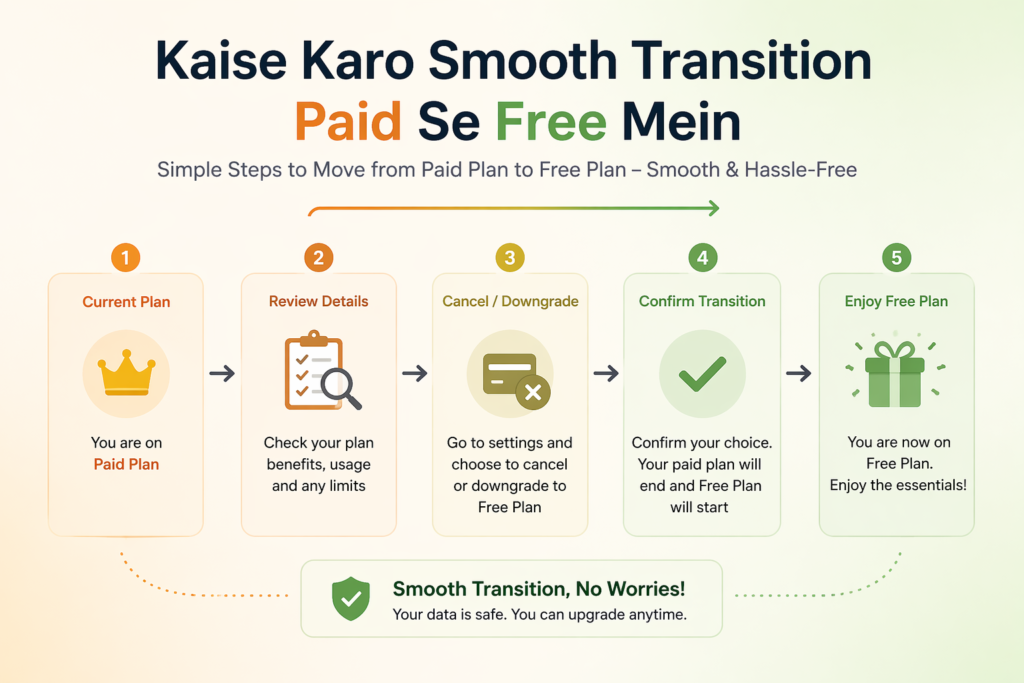
Agar aap abhi paid software use karte hain aur switch karna chahte hain, toh yeh process follow karo:
Step 1 — Apni Current Software List Banao Likhon ki aap kaunse paid tools use karte hain aur unke liye kitna pay karte hain. Yearly cost calculate karo.
Step 2 — Priority Set Karo Sabse pehle woh tool replace karo jiska subscription sabse mehenga hai. Table dekho — Maya aur Premiere replacement se zyada savings milenge.
Step 3 — Free Alternative Install Karo — Parallel Mein Abhi paid subscription cancel mat karo. Pehle free alternative install karo aur use karna seekho — dono parallel mein.
Step 4 — Tutorial Dhundho YouTube par “[tool name] beginners tutorial Hindi” search karo. Zyada tar tools ke liye excellent Hindi tutorials available hain.
Step 5 — 30 Din Ki Practice Ek mahine tak free tool ko seriously use karo. Agar comfortable ho jao, toh paid subscription cancel karo.
Step 6 — Data Migration Karo Apne old files free tool mein open karo aur check karo ki sab kuch properly kaam kar raha hai.
Students Ke Liye Special Mention
Agar aap student hain, toh Best Apps of 2026 ki yeh list aapke liye double faydemand hai:
Pehli baat — in tools ko seekhna aaj aapki skill build karta hai. GIMP seekha matlab Photoshop ka logic samajh gaye. DaVinci Resolve seekha matlab professional video editor ban gaye.
Doosri baat — in tools ko sikhane ke baad aap freelancing start kar sakte hain. Fiverr aur Upwork par bahut projects GIMP, Inkscape, aur DaVinci Resolve users ke liye available hain.
Teesri baat — apne resume mein yeh tools mention karo. Employers ko pata hai ki GIMP aur Inkscape jaanna matlab aap genuinely skilled hain — kyunki koi in tools ko tabhi seekhta hai jab woh seriously interested ho.
Frequently Asked Questions
Q: Kya in free tools ki quality really paid tools jaisi hai? Zyada tar cases mein haan. GIMP, DaVinci Resolve, aur Blender professional studios mein use hote hain. Quality mein koi compromise nahi hai.
Q: Kya yeh tools India mein legal hain? Haan, bilkul. Yeh sab open source ya freeware tools hain. Inhe download karna, use karna, aur commercial projects mein use karna completely legal hai (license terms ke mutabiq).
Q: Agar in tools mein problem aaye toh support kahan se milega? Har tool ki official documentation aur community forum hoti hai. Plus YouTube par Hindi tutorials milte hain. LibreOffice, GIMP aur Blender ki especially active communities hain.
Q: Mobile par bhi in tools ke alternatives hain? Haan — VLC, Canva, Proton VPN, aur Malwarebytes Android/iOS par bhi available hain.
Q: Kya free tools mein ads aati hain? Open source tools mein generally koi ads nahi hoti. VLC, GIMP, Inkscape, LibreOffice — sab completely ad-free hain.
Conclusion — 2026 Mein Free Ka Matlab Compromise Nahi
Yeh poora article ek hi important baat keh raha hai — 2026 mein aapko sirf isliye paid software use nahi karna chahiye kyunki aapko free alternatives ke baare mein pata nahi tha.
Ab aapko pata hai.
Best Apps of 2026 ki yeh list — LibreOffice, GIMP, Inkscape, DaVinci Resolve, Blender, Audacity, Kdenlive, 7-Zip, Malwarebytes, Proton VPN — yeh sab milaakar ek complete professional toolkit banate hain jo Rs. 2,72,000 se zyada ka paid software replace karta hai.
Aaj hi pehla step lo. Apne sabse mehenga paid software identify karo, uska free alternative install karo, aur 30 din try karo. Guarantee hai ki aap surprise ho jaayenge.
Yeh Best Apps of 2026 ki guide apne un doston, colleagues, aur family members ke saath zaroor share karein jinhe iska fayda ho sakta hai. Kyunki yeh knowledge free hai — aur share karna free hai.