 vikram1@gmail.com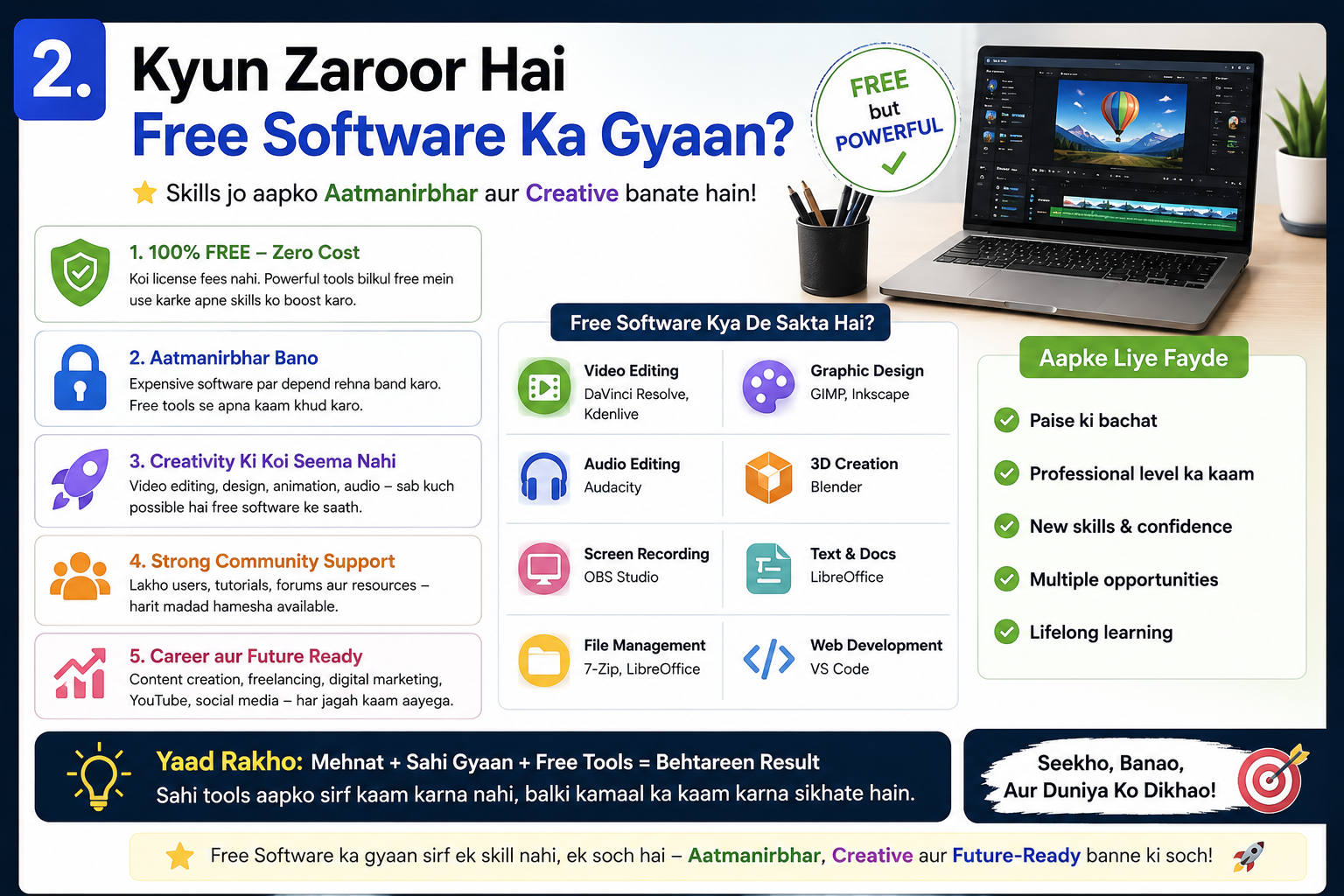
INTRODUCTION:- Kya Aap Bhi Paid Software Ke Liye Paisa Kharch Karne Se Thak Gaye Hain?
Aaj ke digital zamane mein computer ya mobile ke bina kaam karna almost impossible ho gaya hai. Lekin problem tab aati hai jab hum koi achha software use karna chahte hain — aur uska price dekh kar hamare hosh ud jaate hain. Photoshop ke liye hazaron rupaye, antivirus ke liye subscription, video editor ke liye premium plan… yeh sab sunke hi dar lagta hai.
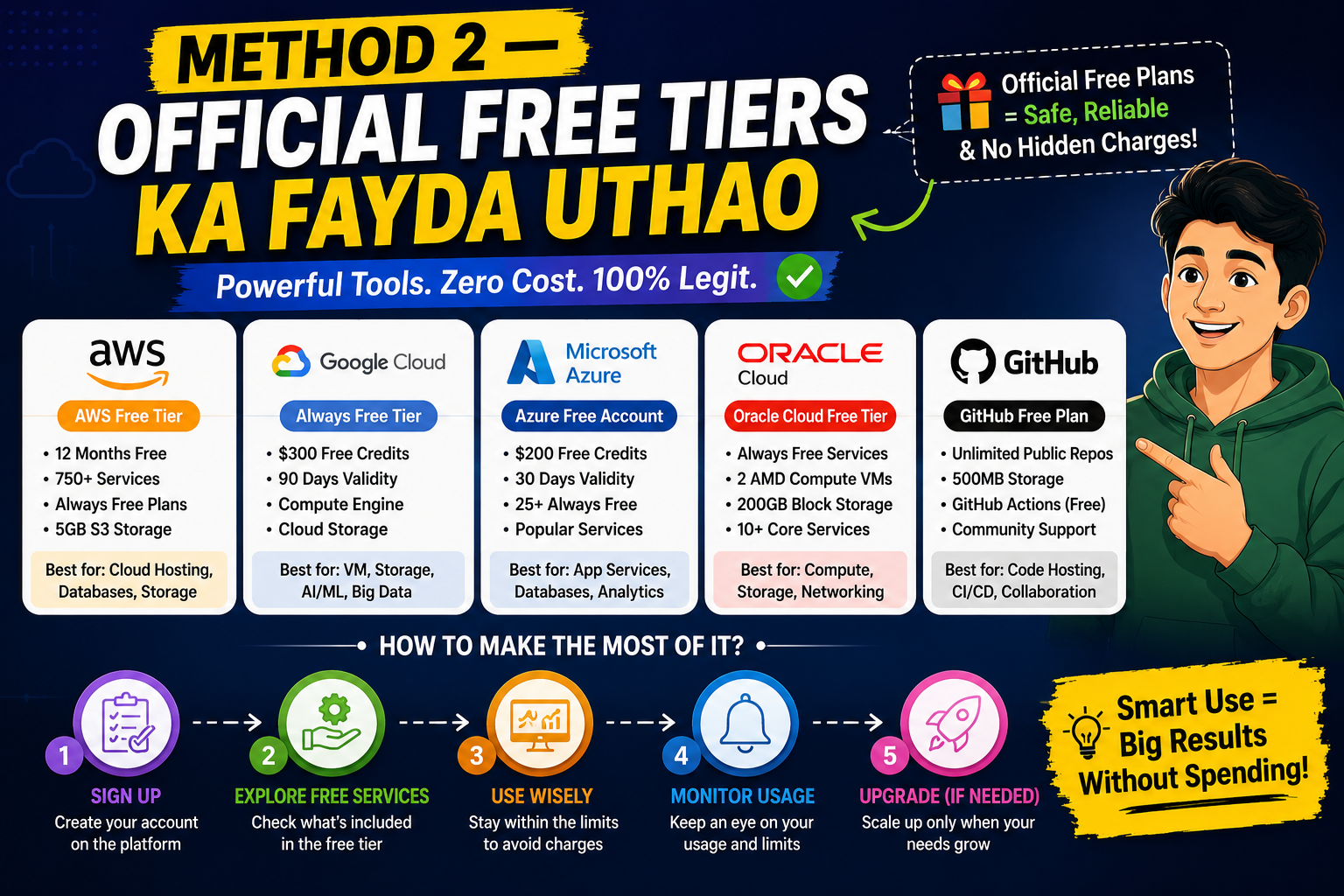
Lekin kya aapko pata hai? Duniya ke kuch sabse powerful aur professional Best Software bilkul free mein available hain — bina kisi registration ke, bina credit card ke, aur bina kisi hidden charge ke. Aaj hum aapko aise hi top tools ke baare mein batane wale hain jo aapki zindagi aasaan kar denge.
Is article mein aap seekhenge ki Best Software kahan se download karein, kaise install karein, aur kaise in tools ka poora fayda uthayein — woh bhi 100% safely aur legally.
Kyun Zaroor Hai Free Software Ka Gyaan?
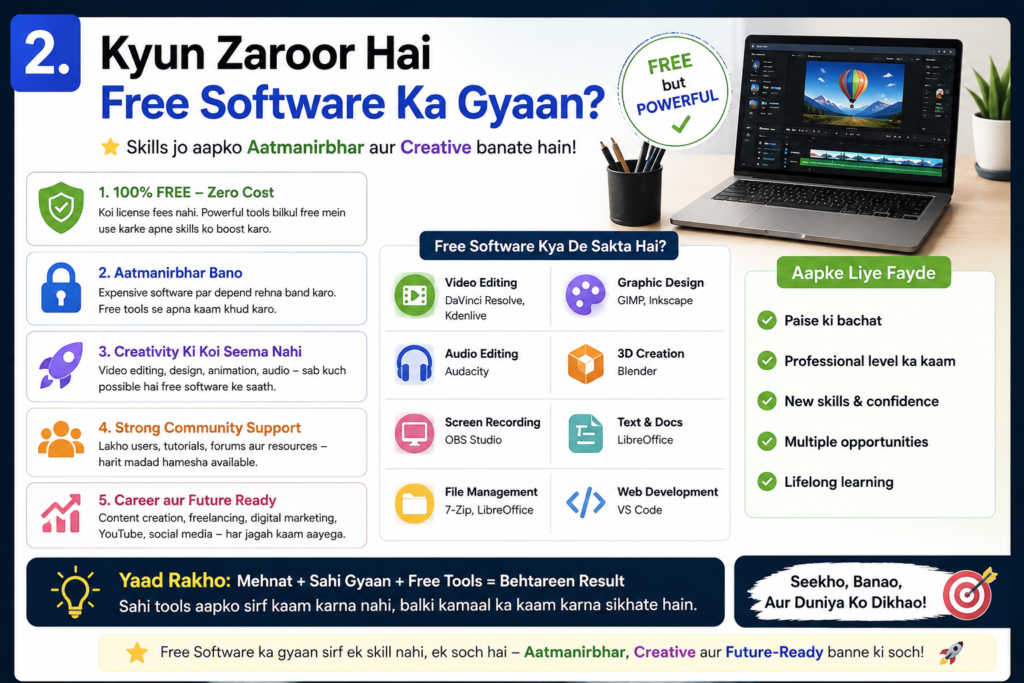
India mein internet users ki sankhya tezi se badh rahi hai. Ghar baithe log freelancing kar rahe hain, students online padh rahe hain, aur chhote business owners apna kaam digital kar rahe hain. Aise mein ek achha Best Software toolkit hona bahut zaroori hai.
Paid software ke problems:
- Zyada mehenga hota hai, especially students ke liye afford karna mushkil
- Har saal renewal ka jhanjhat
- Crack ya pirated version use karne se virus ka darr
- Account ban hone ka risk
Yahi wajah hai ki aajkal duniya bhar ke log Best Software ke free aur open-source alternatives dhundhte hain. Aur sacchi baat yeh hai — yeh alternatives kisi bhi tarah se kam nahi hain!
Top 10 Best Free Software — Bilkul Seedha, Bilkul Safe
1. LibreOffice — Microsoft Office Ka Free Jawab
Agar aapke paas Microsoft Word, Excel, ya PowerPoint nahi hai, toh LibreOffice aapka sabse bada dost hai. Yeh ek poora office suite hai jo bilkul free download hota hai.
Kya milega:
- Writer — Word jaisi document editing
- Calc — Excel jaisa spreadsheet
- Impress — PowerPoint jaisi presentation
Download: libreoffice.org
Yeh Best Software Windows, Mac aur Linux teeno platforms par kaam karta hai. Students, teachers aur office workers — sab ke liye perfect choice.
2. VLC Media Player — Koi Bhi Video Chalao Bina Ruke
VLC duniya ka sabse popular free media player hai. Koi bhi format ho — MP4, MKV, AVI, MOV — VLC sab kuch chalata hai bina kisi extra codec ke.
Kyun yeh Best Software hai:
- No ads, no pop-ups
- Bilkul lightweight
- Online streaming bhi support karta hai
- 100% open source
Download: videolan.org
Ghar baithe movies dekhni hoon ya office presentations play karni hoon — VLC hamesha reliable rahega.
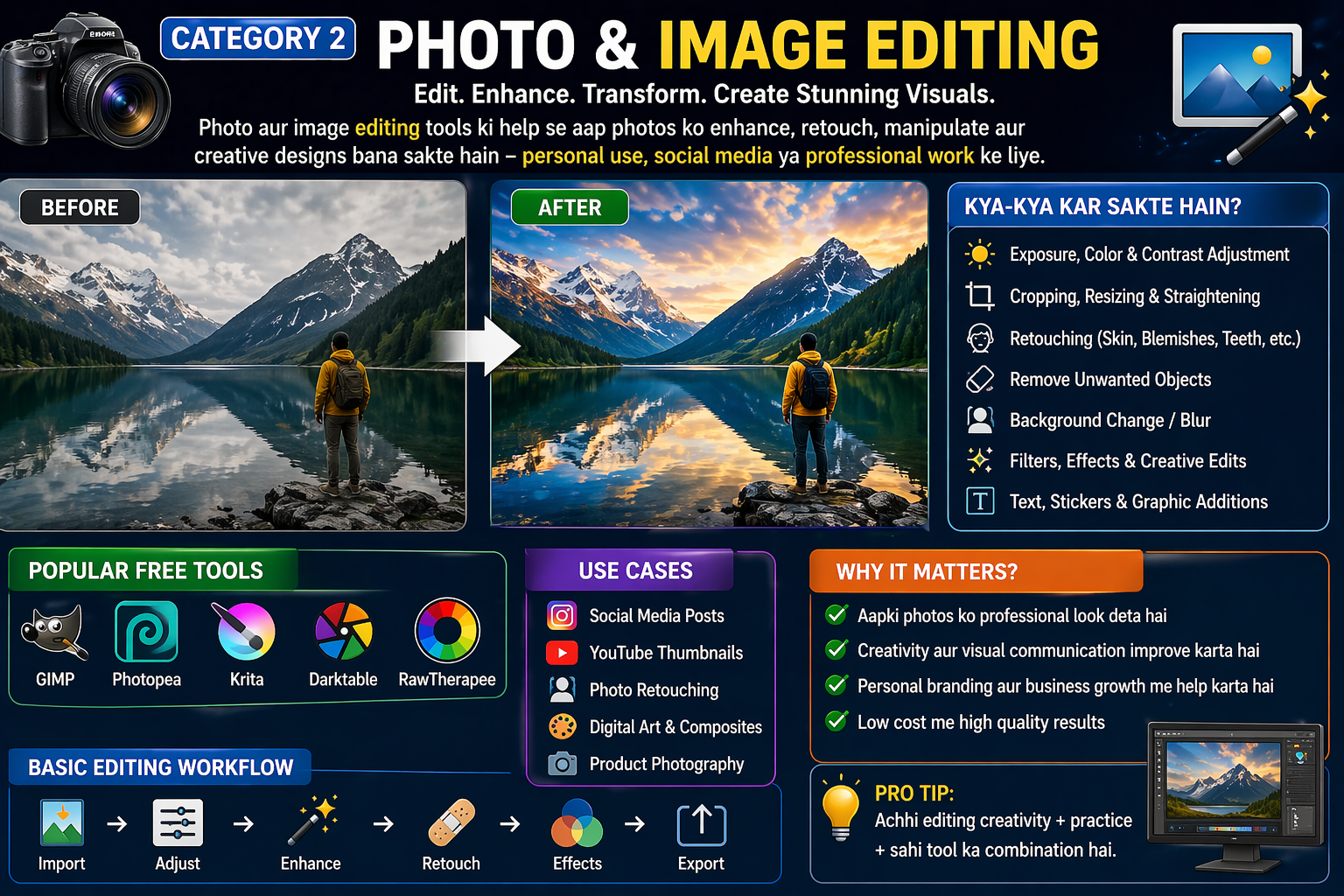
3. GIMP — Photoshop Jaisi Photo Editing Bilkul Free
GIMP (GNU Image Manipulation Program) ek professional-grade photo editor hai jo Photoshop ka ek dum free alternative hai. Bahut se professional designers aaj bhi GIMP use karte hain kyunki yeh utna hi powerful hai.
Features:
- Layers aur masks support
- Filters aur effects
- RAW image editing
- Plugin support
Download: gimp.org
Agar aap social media ke liye graphics banana chahte hain ya photos edit karni hain, toh GIMP aapke liye ek must-have Best Software hai.
4. Audacity — Music aur Audio Editing Ka Raja
Audacity ek free audio editor hai jo professional recording studios mein bhi use hota hai. Podcasters, YouTubers, aur musicians ke liye yeh ek must-have tool hai.
Kya kar sakte hain:
- Voice recording aur editing
- Noise removal
- Multiple tracks mix karna
- MP3, WAV, FLAC export
Download: audacityteam.org
Ghar se content create karna ho ya online courses banana ho — Audacity aapka kaam bahut aasaan kar deta hai.
5. 7-Zip — File Compression Ka Badshah
WinRAR ke liye paisa kyun dena jab 7-Zip bilkul free hai? Yeh ek file archiving tool hai jo ZIP, RAR, 7Z aur bahut saare formats ko handle karta hai.
Specialty:
- WinRAR se bhi zyada compression ratio
- Password-protected archives
- Tez aur reliable
- Zero ads, zero cost
Download: 7-zip.org
Har Windows user ke PC par yeh Best Software hona chahiye — yeh ek basic zaroorat ban chuki hai.
6. OBS Studio — Free Screen Recording aur Live Streaming
Aaj ke time mein YouTube, gaming streams, aur online classes ke liye OBS Studio ek industry standard ban chuka hai. Yeh bilkul free hai aur paid tools ko bhi peeche chhod deta hai.
Kyun unique hai:
- HD quality recording
- Live streaming directly to YouTube/Twitch
- Multiple sources add kar sakte hain
- Scene switching ka feature
Download: obsproject.com
Agar aap content creator ban’na chahte hain, toh OBS ek sabse zaroori Best Software hai aapke collection mein.
7. Brave Browser — Fast, Safe aur Ad-Free Browsing
Chrome se thak gaye? Brave browser try karein. Yeh Chrome se 3x tez hai, ads block karta hai, aur aapki privacy ka poora khayal rakhta hai.
Khas features:
- Built-in ad blocker
- HTTPS Everywhere
- Privacy-first approach
- BAT rewards system
Download: brave.com
Aaj ke zamane mein online privacy bahut zaroori hai, aur Brave browser is maamle mein sabse aage hai.
8. Malwarebytes Free — Virus aur Malware Se Protection
Ghar baithe internet chalate waqt virus ka darr hamesha rehta hai. Malwarebytes Free ek powerful anti-malware tool hai jo aapke PC ko scan karta hai aur threats remove karta hai.
Kya karta hai:
- Deep malware scan
- Adware aur spyware removal
- Browser hijacker clean karta hai
- Real-time protection (premium mein)
Download: malwarebytes.com
Kisi bhi PC ka Best Software collection Malwarebytes ke bina adhura hai. Yeh ek safety net ki tarah kaam karta hai.
9. Notepad++ — Developers Aur Writers Ka Priya Tool
Agar aap coding karte hain ya plain text editing chahiye, toh Notepad++ Windows ke default Notepad se 100 guna better hai. Yeh ek free, lightweight aur super-fast text editor hai.
Features:
- Syntax highlighting 80+ languages ke liye
- Multi-tab editing
- Plugin support
- Find and replace with regex
Download: notepad-plus-plus.org
Students se lekar professional developers tak — sab ke liye yeh Best Software daily use ka tool ban sakta hai.
10. HandBrake — Video Convert Karo Kisi Bhi Format Mein
HandBrake ek free video converter hai jo kisi bhi format ko kisi bhi format mein convert kar sakta hai — jaise MKV to MP4, or large files ko compress karna.
Kyu use karein:
- Fast conversion speed
- Preset profiles available
- Batch processing support
- Open source aur completely free
Download: handbrake.fr
WhatsApp par video bhejni ho ya online upload karni ho — HandBrake aapka kaam seconds mein kar deta hai.
Safe Download Ke Liye Zaroori Tips
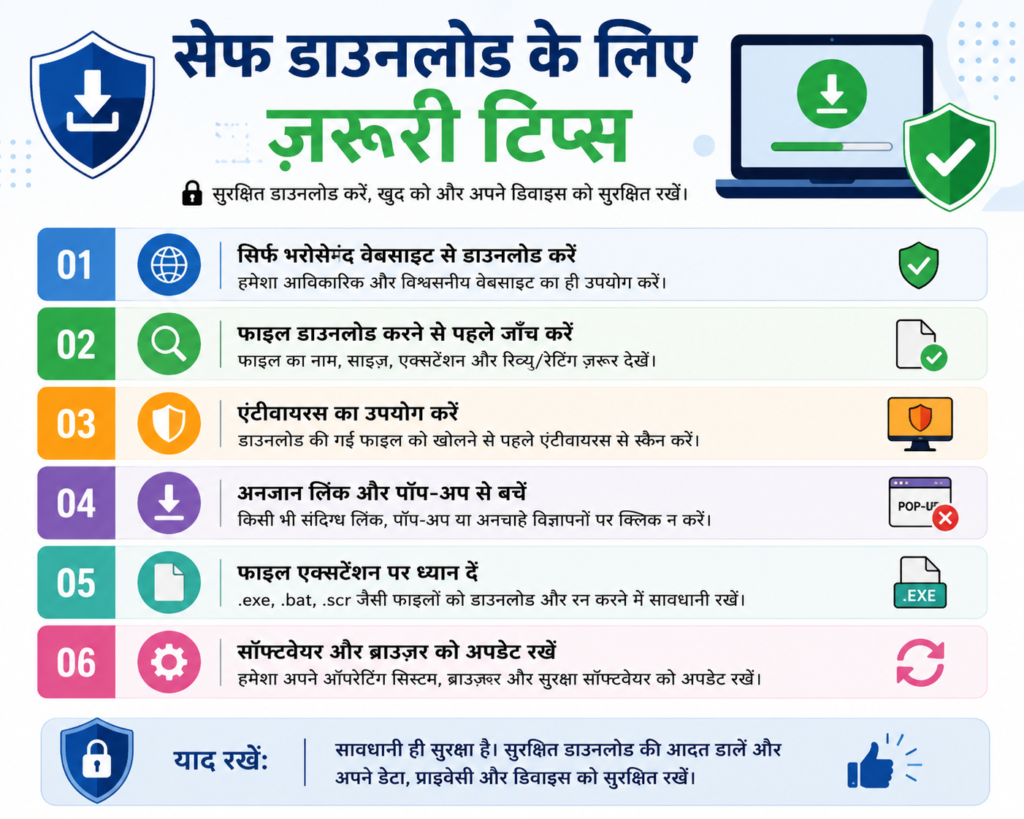
Yeh sab Best Software sirf aur sirf official websites se download karein. Kuch important safety tips:
1. Official website check karein Hamesha Google par software ka naam type karein aur “official site” ki taraf jaayein. Third-party download sites par jaane se bachein.
2. File scan karein pehle Download hone ke baad file ko VirusTotal.com par upload karke scan zaroor karein.
3. Installer carefully padhein Setup ke dauran “Custom Install” choose karein taaki koi extra software install na ho.
4. Updates lgte rahein Free software bhi updates release karta hai — inhe ignore mat karein. Updates security patches laate hain.
5. Backup rakho Koi bhi new software install karne se pehle apne important files ka backup le lo.
Frequently Asked Questions (FAQ)
Q: Kya yeh software bilkul free hain? Haan, yeh sab tools completely free hain — koi hidden charge nahi, koi subscription nahi.
Q: Kya yeh safe hain? Haan, jab tak aap official websites se download karein. Yeh sab open-source ya trusted free tools hain.
Q: Kya registration karna zaroori hai? Nahi! In mein se kisi ke liye bhi registration ya email ki zaroorat nahi hai — seedha download karo aur use karo.
Q: Kya yeh Windows 11 par kaam karte hain? Haan, in mein se sab Windows 10 aur Windows 11 dono par achhi tarah kaam karte hain.
Q: Mobile par bhi kaam karte hain? Kuch tools jaise VLC aur Brave browser Android/iOS par bhi available hain.
Conclusion — Ab Paisa Mat Barbaad Karo!
Ab aapke paas koi excuse nahi hai! Yeh sab powerful Best Software tools bilkul muft mein available hain — sirf official websites pe jaao, download karo, aur apna kaam shuru karo.
Chahe aapko photo editing karni ho, video record karni ho, documents banana ho, ya sirf safely internet browse karna ho — har kaam ke liye ek free solution hai. Ghar baithe, bina ek rupaya kharch kiye, aap ek fully professional digital toolkit set up kar sakte hain.
Agar aapko yeh guide helpful lagi toh apne doston ke saath share karein — kyunki yeh Best Software ka gyaan sabko hona chahiye!